How to Migrate Your .NET 8 and 9 Apps to .NET 10 with Visual Studio and GitHub Copilot
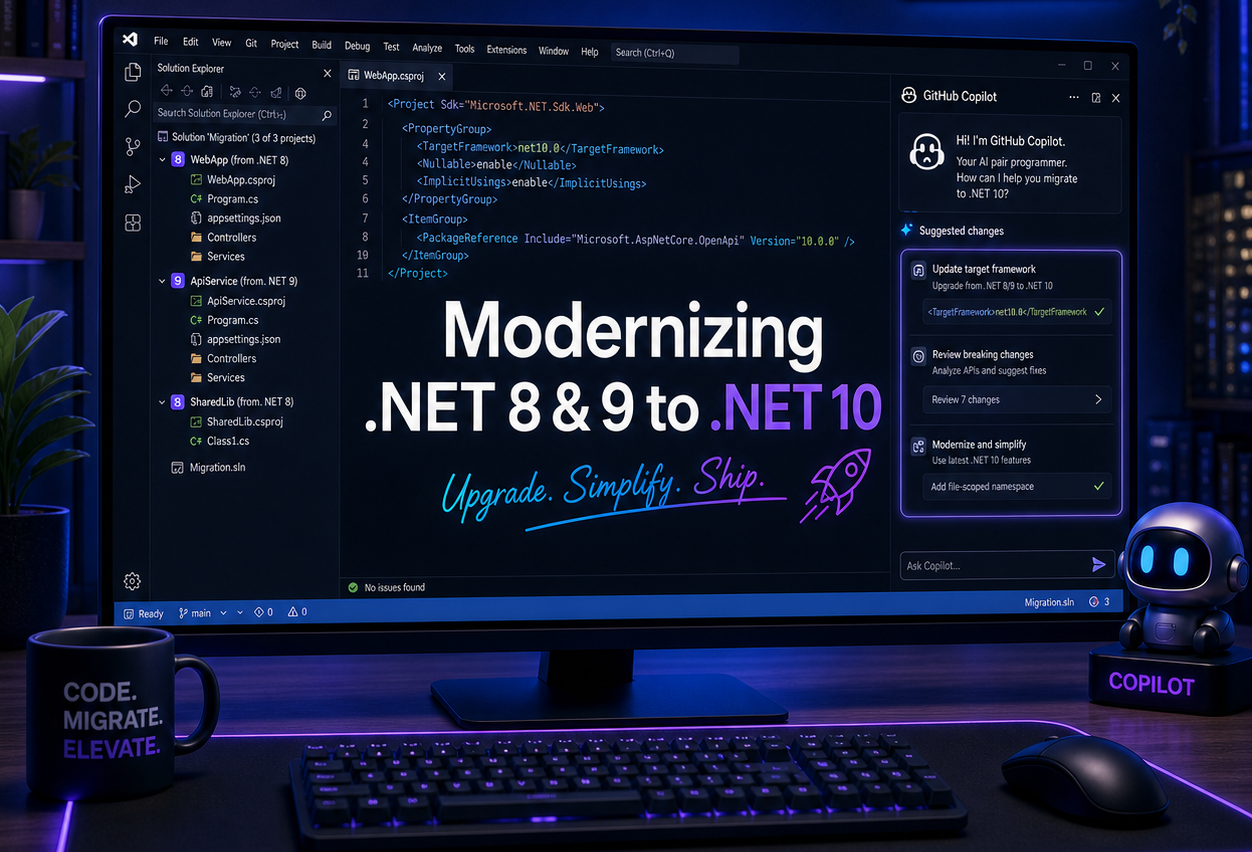
.NET 8 and 9 are both driving toward the same cliff: end of support on 10 November 2026, at which point you stop getting security fixes and patches from Microsoft. The good news is that the upgrade to .NET 10 is usually a simple version bump, and Visual Studio’s GitHub Copilot modernization tooling can do most of the boring work for you regarding the NuGet package version upgrades.
Why .NET 10 is the new baseline
.NET 10 is the latest LTS release you want to land on. it’s supported from November 2025 through mid‑November 2028, giving you about three years of patches and stability. This is good amount of supported timeframe for a rather simple upgrade job IMHO.
Support timeline snapshot
| Version | Type | End of support | Notes |
|---|---|---|---|
| .NET 8 | LTS | 10 Nov 2026 | Many many many production apps here today |
| .NET 9 | STS | 10 Nov 2026 | Same end date as .NET 8 |
| .NET 10 | LTS | 14 Nov 2028 | Your next long‑term version |
Modernizing with Visual Studio + Copilot (the interesting part)
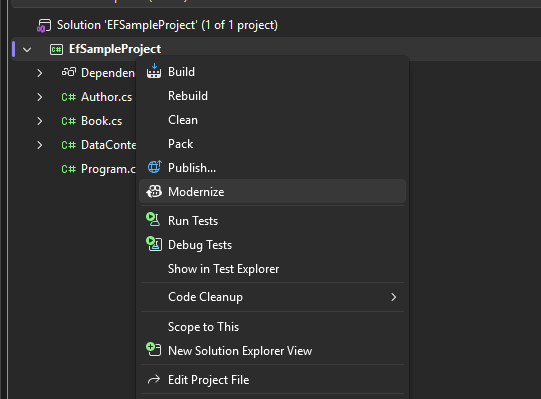
The most easiest way to do the .NET version upgrade is by using the GitHub Copilot App Modernization in Visual Studio 2026. If your app is even a little bit more complicate than simple sample app, you might want to give this feature a try. The modernizer creates rather comprehensive plan for the upgrade. It scans your NuGet packages, possible required code changes, API changes, etc. and creates a plan to do the upgrade.
If you don’t see the Modernize option, run Visual Studio Installer app and install the GitHub Copilot modernization feature.
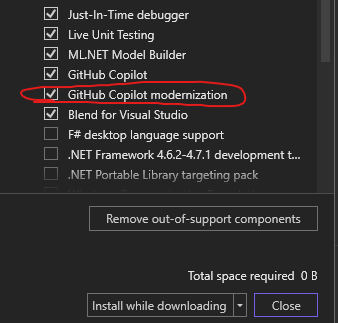
GH Copilot modernization is a Visual Studio .NET feature.
All the modernizer does is file changes, so you can review all the changes before accepting them or just check the changes from Git commit window, before doing the upgrade commit. This makes the tool safe to use.
How the Copilot modernization flow works
- You run an assessment on your solution and get a report of issues, risks, and recommended changes.
- Starting migration creates a
.github/upgrades folder with plan, task lists etc. - You review and tweak the plan, then tell Copilot to proceed with the migration according to that plan.
- Copilot updates project files, applies configuration changes, manages dependencies, builds the solution, and iterates until it compiles cleanly.
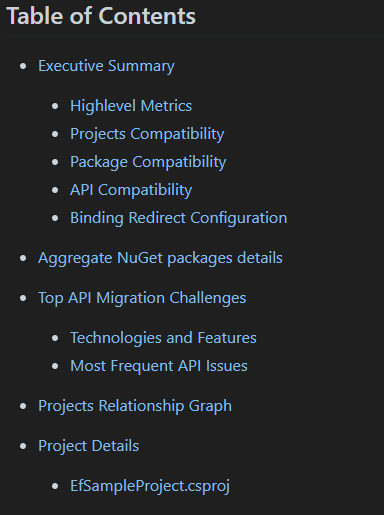
This is the content that Modernizer uses in migration plan.
The nice part is that this isn’t just a glorified find‑and‑replace. The agent keeps track of what it has done, marks tasks as completed in tasks.md, and can adjust based on your feedback. It is exactly the kind of tool you want when you’re touching many solutions, many projects, and a pile of older dependencies that nobody wants to manually audit.
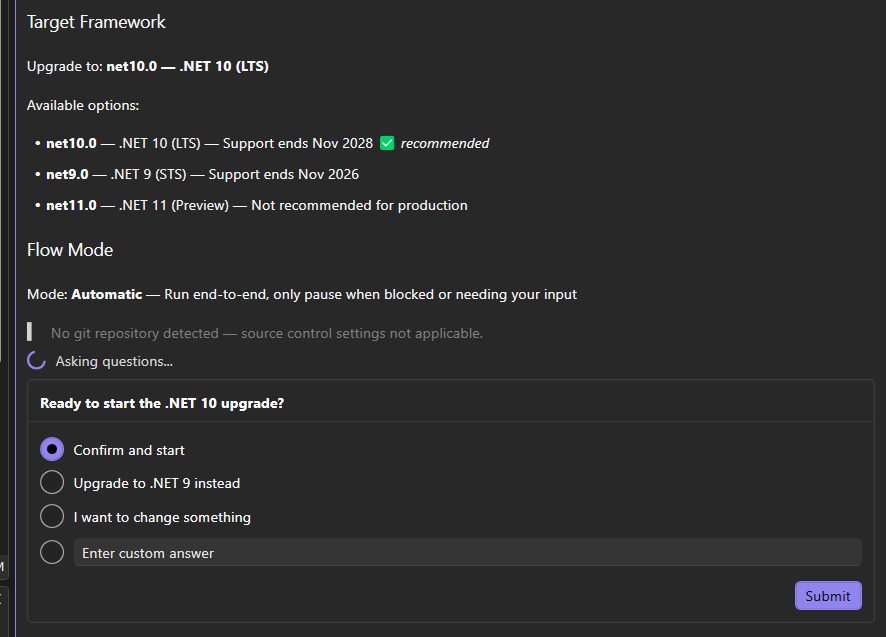
You can actually steer the process during migration. At first it usually asks what is your target .NET version.
“Simple upgrade” does not mean “no changes”
Moving from .NET 8/9 to 10 is usually a straightforward version upgrade, especially if you’ve kept your dependencies reasonably fresh and followed the recommended patterns. But there are some recurring themes where you should expect code or configuration adjustments.
Typical changes during a .NET 10 upgrade
- First the easy part: Project target framework and SDK
- Update
TargetFrameworkfromnet8.0ornet9.0tonet10.0in your csproj files. - Dont forget to align SDK and tool versions in your CI/build agents to use the .NET 10 SDK.
- Update
- NuGet packages and transitive dependencies
- Some libraries drop support for older frameworks or introduce .NET 10‑only builds, requiring version bumps.
- Old or abandoned packages may need replacements if they rely on APIs that are now deprecated or removed.
- Analyzer and compiler strictness
- New analyzers and Roslyn features may turn past “bad but compiling” patterns into warnings. Now depending on what your warning policy is, this can be a problem or not.
- Nullable reference type analysis and code style rules can get stricter, nudging you toward cleaner patterns.
- Cloud and container plumbing
- Container images, base images, and build images need to be updated to .NET 10 tags.
- Azure resources, for example Azure Functions need to be set to run on .NET 10 stack.
These are all manageable small changes, but they are exactly the kind of repetitive, detail‑oriented tasks that benefit from having Copilot modernization scanning and suggesting concrete edits instead of you grepping through dozens of projects.
Why modernize now, not in November
You can absolutely keep running .NET 8 or 9 in production after 10 November 2026; nothing magically stops. The problem is that you will be doing it with a runtime that no longer receives security patches or servicing updates. If something nasty happens (like log4j), you will get in a rush to do the update.
Treating version upgrades as just another maintenance task, not a multi‑year “big bang,” is much healthier. .NET’s cadence is predictable and the tooling is actually good. That combination is what turns this into a rather simple version upgrade instead of a late‑night incident waiting to happen.
Summary
.NET 8 and .NET 9 are heading toward the same date: support ends on 10 November 2026, after which your apps will still run, but without security updates or servicing fixes. That might be fine in a lab or for purely internal tools, but it is not a great story for production, cloud workloads, or anything that might face an audit.
.NET 10 gives you a new LTS baseline and a comfortable support window, so it’s the sensible new “default” to move your workloads to. In a reasonably maintained solution, the version upgrade is mostly a TargetFramework change, some NuGet updates, and a bit of configuration cleanup.
Visual Studio’s GitHub Copilot modernization tooling does a big chunk of the boring work for you: it assesses the solution, produces a plan, runs the migration, and keeps track of what changed. You stay in charge of decisions and architecture, instead of manually editing every single csproj, CI pipeline and config file.
In practice: the earlier you treat .NET version upgrades as just another part of your normal maintenance cycle, the less they hurt. If you are still on .NET 8 or 9, now is a good time to grab a coffee, open Visual Studio, and let Copilot take the first pass at the upgrade for you.