Run C# Code Directly in a Microsoft Fabric Notebook
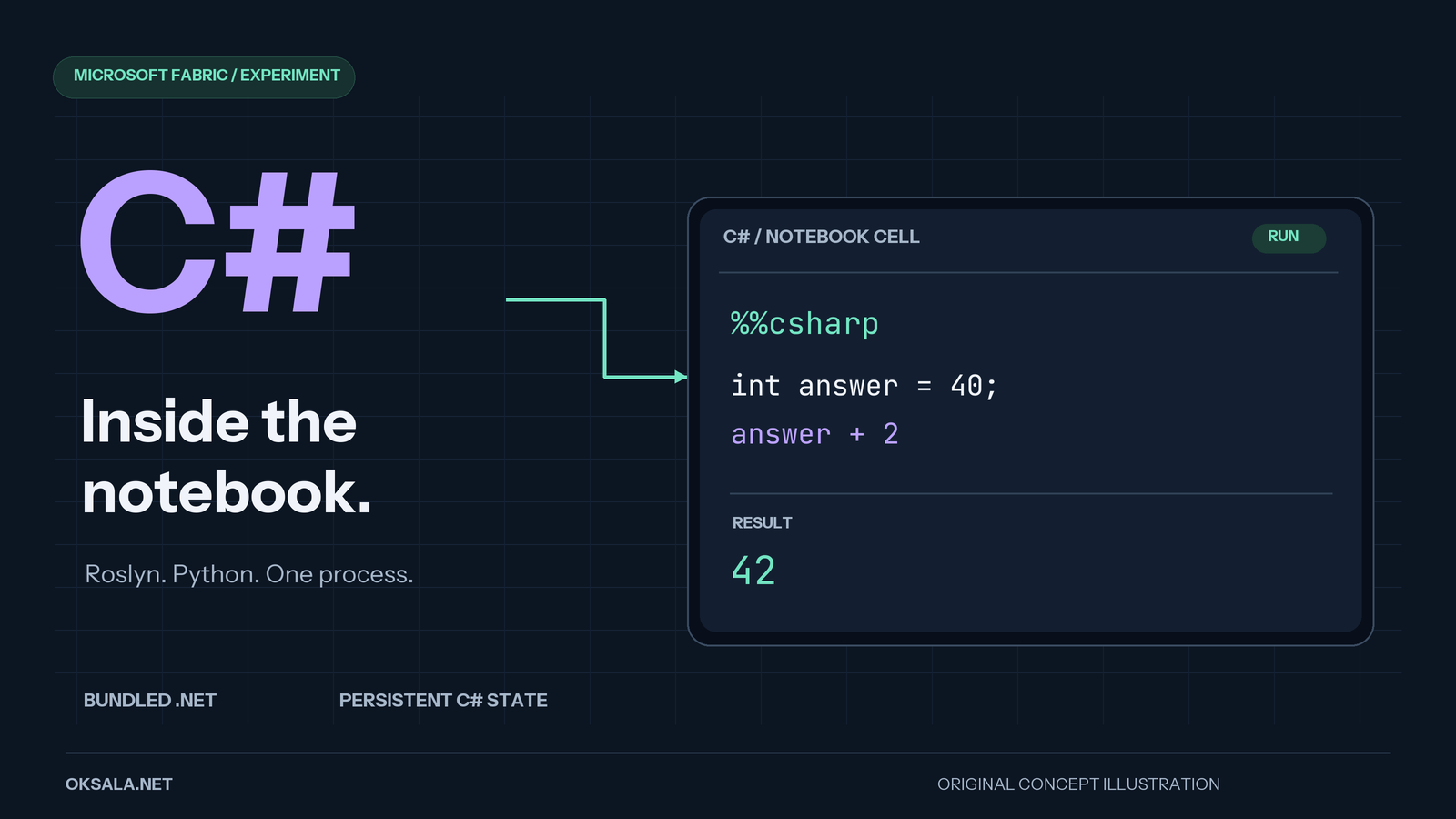
In my earlier post about running C# in Fabric notebooks, I used pythonnet to load a compiled DLL from a Lakehouse and call its methods from Python. That works for reusing a class library, but you still need to build the DLL before trying your code.
This time I wanted to take it a little bit further. What if we could write C# directly in a notebook cell, without building a new DLL every time we change a line? That is the goal of this project, with Roslyn doing the heavy lifting.
You can find the project on GitHub: CsharpFabricNotebook.
This is an experimental extension, not a new official Fabric language. The setup below targets a PySpark notebook, and loading the bundled runtime still needs to be verified in your Fabric environment before relying on it.
What We Want
The goal is simple. Install one package, load an extension and write C# in a cell like this:
%%cs
using System.Linq;
var nums = Enumerable.Range(1, 5).Select(n => n * n);
Console.WriteLine(string.Join(",", nums));
nums.Sum()
The expected output is:
1,4,9,16,25
55
Notice that the last line, nums.Sum(), has no semicolon. Roslyn treats it as the result of the cell. Variables, usings and declared types stay alive between cells, so you don’t have to start from scratch every time.
How It Works
The trick is on the Python side of the notebook. IPython supports custom cell magics, so we can register our own %%cs magic. It takes the cell content and passes it to a C# scripting engine inside the same Python process. There is no separate C# server or command-line app involved.
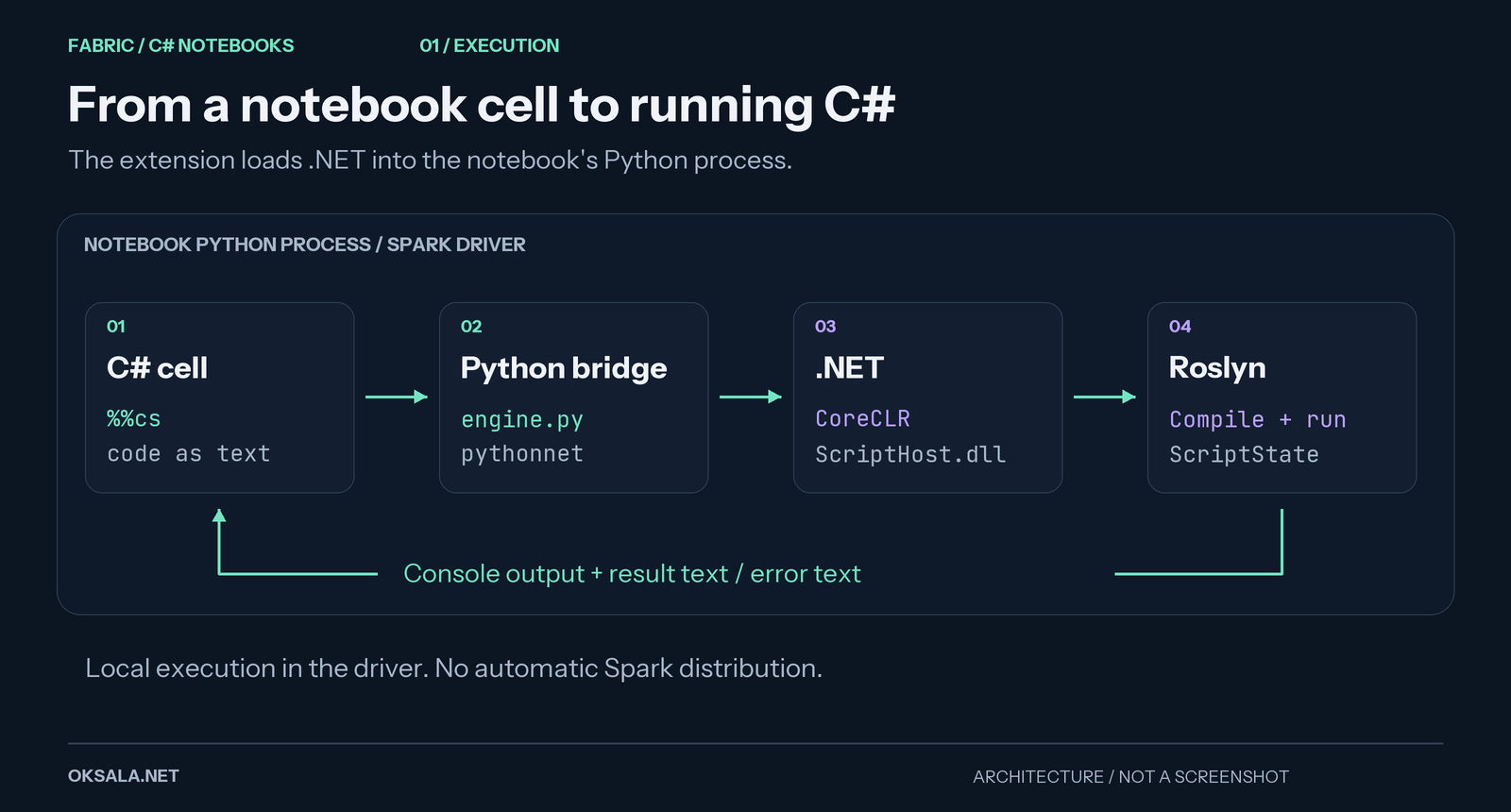
One Python process, with a .NET runtime loaded inside it. This is an architecture illustration, not a Fabric screenshot.
The project has three main parts.
1. ScriptHost (.NET 10)
This is a small class library that wraps the Roslyn scripting API (Microsoft.CodeAnalysis.CSharp.Scripting). Its entry point, CSharpEngine.Execute, gets the code and the previous ScriptState. If there is a previous state it calls ContinueWithAsync, otherwise RunAsync. That is the reason why variables survive from one cell to another.
The engine also redirects Console.Out, so text printed with Console.WriteLine ends up in the notebook output. If the last line is a bare expression (like nums.Sum() above), its value is converted to text and printed below the cell. This is plain text output, not automatic rendering of .NET objects as notebook tables. Compiler diagnostics and runtime exceptions are sent back to the Python side as error text.
2. The Python Package (fabric_csharp)
The main Python pieces are:
bootstrap.pystarts the .NET runtime (CoreCLR) inside the Python process using pythonnet and loads ScriptHost.dll.engine.pycallsCSharpEngineand keeps the script state between calls.magic.pyregisters the%%cscell magic and the%csharp_resetmagic, which clears the state if you want a clean slate.
3. The Bundled Runtime
You don’t need a separate .NET installation on the Spark nodes, because the .NET runtime is bundled inside the Python wheel. A PowerShell script (build.ps1) in the GitHub repo publishes ScriptHost for linux-x64, takes the runtime files and lays them out in the folder structure that the .NET host expects.
When the first %%cs cell is executed, bootstrap.py points pythonnet to those files and starts CoreCLR. The Python package still needs to be installed, together with dependencies such as pythonnet, but there is no separate .NET SDK setup on the cluster. The bootstrap also attempts to restore executable permission bits on the native .so files, which can be lost when packaging on Windows.
Building the Package
You need a .NET SDK that can build the net10.0 project, Python, and the Python build package on your own machine. From the project root, first build the runtime assets for Fabric:
.\build.ps1 -RuntimeIdentifiers linux-x64Then build the wheel:
cd python
python -m build --wheel
The wheel is written to python\dist (relative to the project root). If Python reports No module named build, install the build tool with python -m pip install build and run the wheel build again.
Package only the linux-x64 runtime for Fabric. One gotcha: building with -RuntimeIdentifiers linux-x64 does not remove an old win-x64 folder. If you previously built the Windows version, use a clean build directory or remove those Windows assets from the package staging area before building the wheel. Check the wheel contents too, since an earlier Python build can leave stale files behind. Bundling a runtime makes the package much larger than a normal Python wrapper, so check its size against the current Fabric upload limits.
Using It in Fabric
- Open your workspace and create an Environment (or use an existing one).
- Go to Custom Libraries and upload the
.whlfile. - Ensure the Python dependencies declared by the package, including
pythonnetandipython, can be resolved. In a workspace with restricted network access, you may need to supply dependency wheels as well. - Publish the environment and attach it to your PySpark notebook, or set it as the default environment of the workspace. Start a new notebook session to pick up the published environment.
Using an environment means you don’t have to maintain a package installation cell in every notebook. Fabric handles library deployment for the session. The exact installation timing depends on the environment’s publishing mode; see the Fabric library management documentation.
Keep the cells set to PySpark (Python). We are registering a Python cell magic, not adding C# to Fabric’s language selector. Load the extension in the first cell:
%load_ext fabric_csharpAnd after that you can just write C#:
%%cs
var greeting = "hello from C#";
Console.WriteLine(greeting);
In the next cell the greeting variable is still there:
%%cs
greeting.ToUpper()
The expected result is HELLO FROM C#. The Python wrapper keeps the Roslyn state between these two calls. The variables are C# variables though, not Python variables (more on sharing values with Python below), and they disappear when the notebook’s Python process restarts.
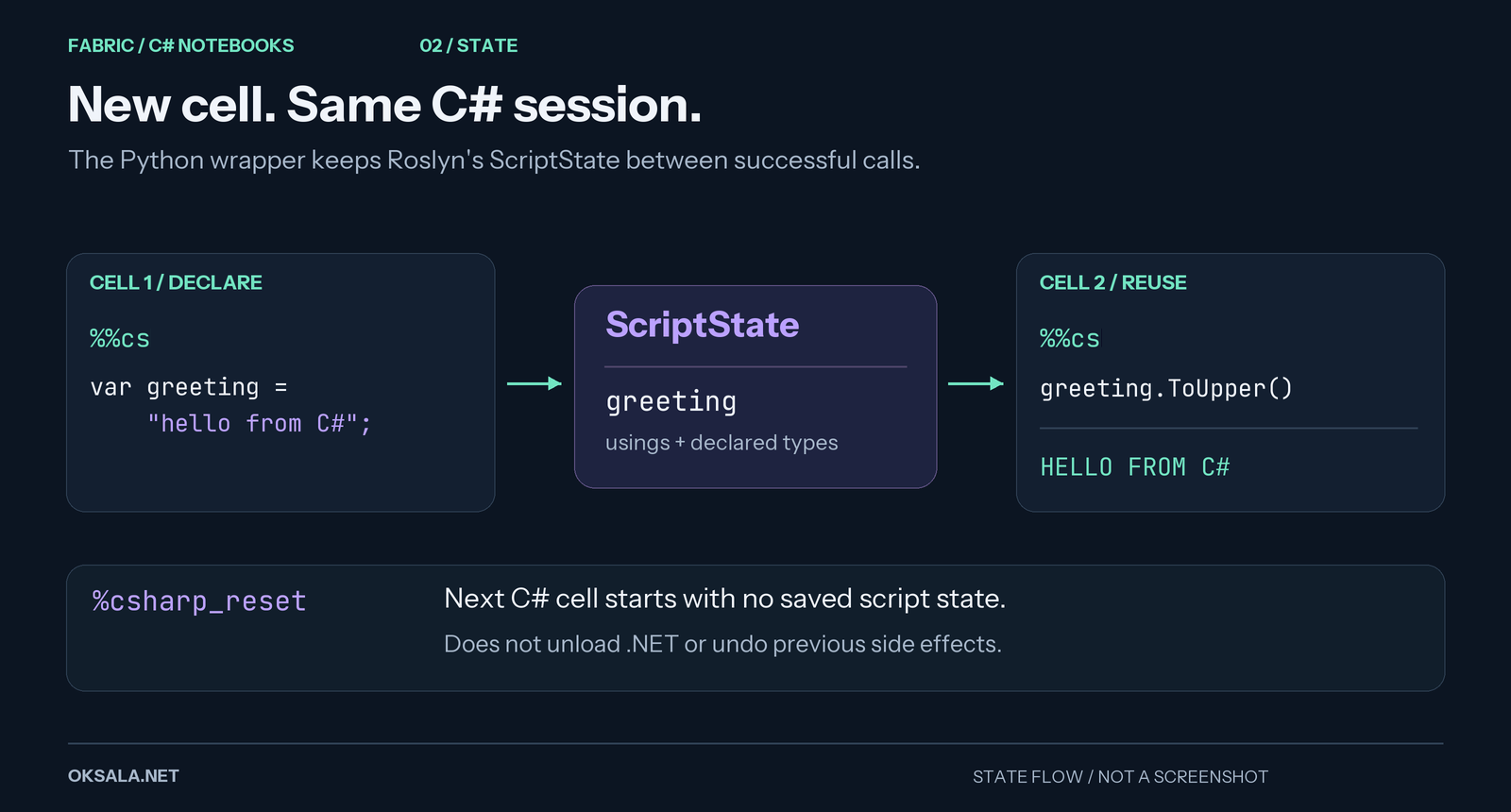
Separate cells, shared C# state. Illustration of the example above, not captured notebook output.
Passing Variables Between Python and C#
Cells are not fully isolated. You can feed basic Python values into C# with the -i option. They show up as a dynamic object called Vars:
name = "Fabric"
numbers = [1, 2, 3]
%%cs -i name,numbers
string who = Vars.name;
Console.WriteLine($"Hello {who}, count = {Vars.numbers.Count}");Going the other way, -o copies a C# variable back to Python after the cell has run:
%%cs -o total
int total = 0;
foreach (var n in Vars.numbers) total += (int)n;
Now total is a normal Python variable with the value 6.
Under the hood the values travel as JSON, so only basic types work: None, bool, int, float, str, and lists and dicts of those. Numbers arrive in C# as long or double, which is why the loop above casts with (int). Values are copies, so later changes on either side are not shared. DataFrames and spark are not passed. Convert to lists or dicts first, for example with df.head(100).to_dict("records").
To start fresh without restarting the notebook, run this in a Python cell:
%csharp_resetThis drops the saved script state. It does not unload .NET or undo side effects such as files written by earlier cells.
Things to Remember
This is an experiment and not an official Microsoft feature, so a few things are good to keep in mind.
- Linux x64 only in Fabric. Spark pools run on Linux x64 nodes, so that is the runtime we bundle.
- Security policy. We are executing bundled native binaries. If your tenant blocks that, this will not work. Try it first in a disposable workspace before relying on it.
- Cold start. The first C# cell loads CoreCLR and initializes the scripting engine. Later cells reuse that runtime, but still need to compile their code. There are no Fabric startup benchmarks for this project yet.
- No NuGet restore. The engine starts with a small set of assembly references and common namespace imports. It does not implement
#r "nuget:..."package resolution. Using additional libraries requires arranging their assemblies, dependencies and references separately. - It runs on the driver. The C# code runs inside the notebook’s Python process, not across Spark executors. Python variables are only passed when you ask for them with
-i, and only basic values. The existingsparkobject and DataFrames are not exposed to C#. - Error text is not a failed cell. The current magic writes C# errors to Python’s standard error stream and returns. It does not raise a Python exception, so don’t rely on it to stop a pipeline when C# execution fails.
- You own the bundled runtime. .NET security updates need to be included by rebuilding and redeploying the wheel. A runtime inside a package is still a runtime that needs maintenance.
Summary
Roslyn handles the C#, pythonnet connects it to Python, and the wheel carries the .NET runtime. That is the whole idea. The extension keeps state between cells and prints console output and expression results back into the notebook.
For me the interesting use case is trying out small pieces of C# logic without building a separate application. It is not a replacement for PySpark, and the Fabric runtime setup still needs a real-world check. The idea here is to see what kind of things we can do in Fabric (extend our thinking) and also see how we can run C# in uncommon environments. .NET is not Windows only anymore!