Microsoft Test Platform (MTP) – New Way to Run Unit Tests

MTP is a lightweight alternative to good old VSTest for running unit tests in Visual Studio and CI/CD pipelines. It is an open source project and you can find the code from microsoft/testfx GitHub repository. Is it any good and should you start using it immediately? Well this blog post is here to help you find out.
General Testing Component Structure
Before we start looking more into MTP we need to understand how unit test runners work in .NET. This is an old image of test runner structure from Microsoft Dev Blog. Is shows that Visual Studio is calling runner (vstest.console.exe) that is calling testhost.exe and finally it executes the test with suitable adapter. This is a good system, but it has few flaws: You need a lot of dependencies to run tests and they add overhead and they need to be in correct versions if breaking changes has happened. This is all too complicated structure for simple task like running a test.
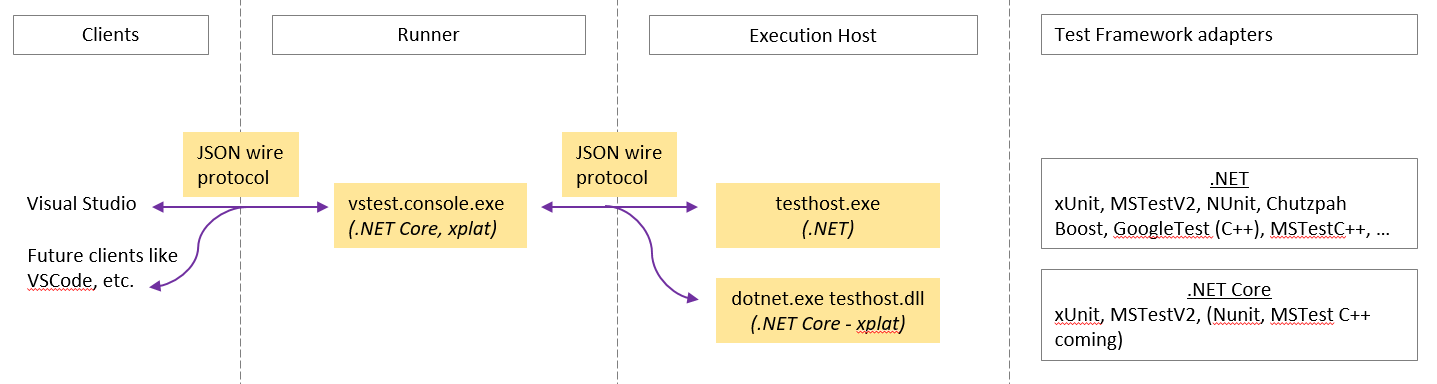
VSTest structure
The magic in MTP is that you don’t need runners, execution hosts or any of that anymore. The MTP is embedded directly in your test projects and you can run tests simply by calling the exe file. You don’t need to use dotnet test or vstest anymore.
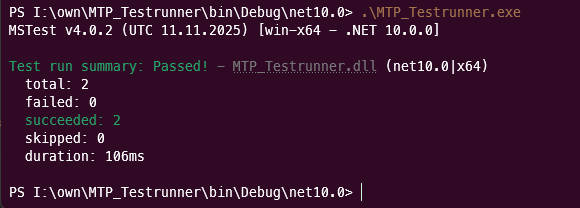
I have sample project called MTP_Testrunner and I can run the tests simply by running the exe file.
Setup MTP for Existing Unit Tests
Setting up the MTP for existing test class library is a bit harder than I initially thought. If we look at the migration guide there are many options and cases that needs to considered. Are you using XUnit? Do you want to run tests with Visual Studio? Are you using .NET 9.0 or older?… In this blog post I am going to show how to setup MTP on .NET 10 project with MSTests. Nothing else. If you are using older .NET or TUnit or something like that, check the docs please.
NuGets and Build.props
To use MTP we need to install Microsoft.Testing.Platform.MSBuild NuGet package into our test project and setup few PropertyGroup parameters. Parameters can be set for each projects individually or in simpler way by adding them into Directory.Build.props file that is at the solution level.
<Project>
	<PropertyGroup>
		<EnableMSTestRunner>true</EnableMSTestRunner>
		<TestingPlatformDotnetTestSupport>true</TestingPlatformDotnetTestSupport>
	</PropertyGroup>
</Project>
EnableMSTestRunner tells the test platform to load and use the MSTest test adapter/runner. TestingPlatformDotnetTestSupport enables the Microsoft Test Platform to fully support dotnet test, ensuring that test discovery, adapters, and execution work correctly in the .NET CLI environment.
Next we need to add runner statement into global.json as stated in the documentation for .NET 10 apps.
{
    "test": {
        "runner": "Microsoft.Testing.Platform"
    }
}
Finally if we want to run our test as exe file and not using dotnet commands, we need to make sure that our test project is producing exe file. We can do that by editing csproj file and setting OutputType to Exe
 <PropertyGroup>
   <TargetFramework>net10.0</TargetFramework>
   <ImplicitUsings>enable</ImplicitUsings>
   <Nullable>enable</Nullable>
   <OutputType>Exe</OutputType>
 </PropertyGroup>
Testing the Tests
Building the project should now produce exe file, which can be used to run tests. We can also debug our tests simply by pressing F5 and run our test project app. The F5 will run all the tests and it also supports debugging them without any extra hazzle. Neat!
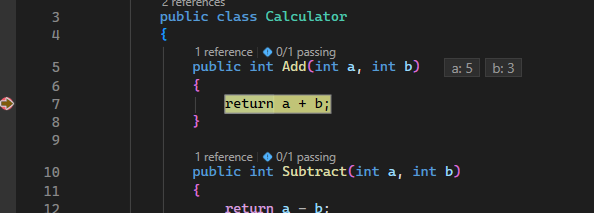
Running the test project will run all the unit tests by default.
Summary
The Microsoft Test Platform (MTP) offers a simpler, more integrated way to run unit tests in .NET projects by embedding the test runner directly into the project executable. This approach reduces dependencies and complexity compared to traditional runners like VSTest. Setting up MTP involves adding a NuGet package, adjusting project properties, and configuring the global.json file. Once configured, tests can be run by executing the project’s .exe or debugging in Visual Studio, streamlining the testing process.
In my humble opinion this is the future of unit testing in .NET.
Remember to read my earlier blog post about unit testing with TUnit