NuGet Package Restore Speed Improvement with Windows Dev Drive

I was listening to Jeffrey Palermo’s AI DevOps Podcast and in one episode Chet Husk mentioned that one practical way to improve .NET build performance is to use Windows Dev Drive for development-heavy file operations. That immediately sounded interesting, especially because NuGet restore is kind of workload that does a lot of file system activity.
So I decided to test one small change: move the global NuGet package cache to a Dev Drive and measure restore times before and after. Microsoft’s guidance for Dev Drive explicitly recommends placing package caches on it, and the NuGet global-packages folder is used by dotnet, MSBuild, and Visual Studio, so this is a low-effort tweak with potentially big impact.
Setup
I changed my NuGet configuration so that the global package cache points to my Dev Drive. Microsoft documents **globalPackagesFolder**as one supported way to move the NuGet global-packages location from the default path to a Dev Drive location.
This setting goes into %AppData%\NuGet\NuGet.Config. After changing the cache path, Microsoft notes that you may need to restart open console windows or reboot the machine so the new settings are applied consistently.
Why Dev Drive could help?
Dev Drive is designed for developer workloads such as repositories, package caches, and build output. Microsoft recommends placing working directories, repositories, and package caches on a Dev Drive because those workloads are often heavy on file creation, scanning, and metadata operations.
This does not mean Dev Drive will magically speed up every restore. If the slow part is a remote feed, authentication, or network download, changing the cache location may do very little, but if the workload is file-I/O heavy, the package cache is good place to start.
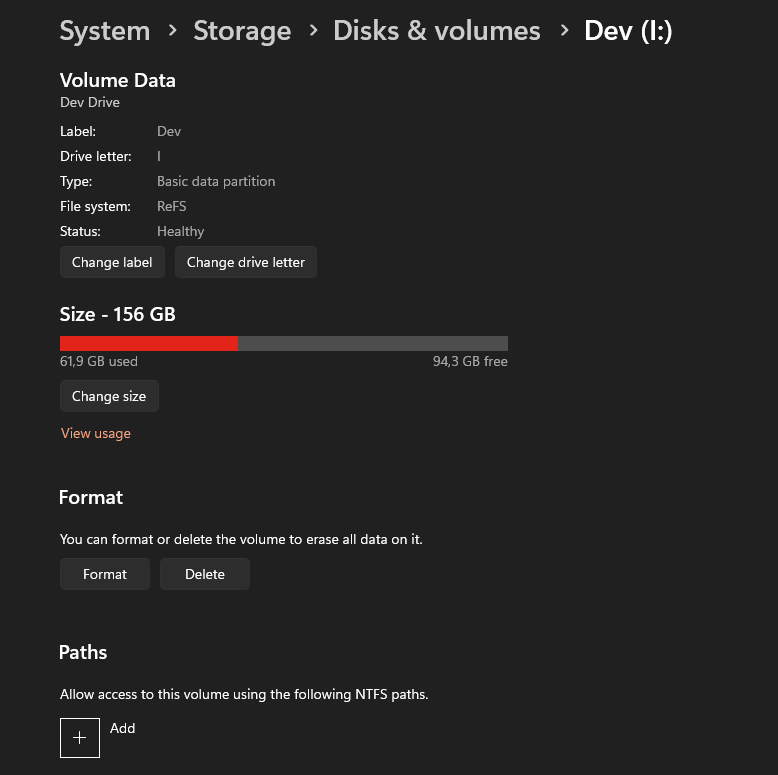
My Dev Drive is 156 GB and it runs on 2TB Samsung 990 Pro M2 drive. I should have create bigger one for NuGet packages…
Test setup
For the test project I used the nopCommerce solution. I wanted something more realistic than a tiny sample project, because restore improvements are easier to observe when there are enough dependencies involved.
The restore command was:
dotnet restore .\nopCommerce\src\nopCommerce.slnBefore each cold restore measurement I cleared local caches with:
dotnet nuget locals all --clearThe basic flow was:
- Clear the local NuGet caches.
- Run restore and measure the execution time.
- Repeat that several times.
I first did the measurement without Dev Drive, then switched the global package folder to the Dev Drive and repeated the same process.
Raw measurements
| Measurement | Without Dev Drive | With Dev Drive |
| Measurement 1 | 22044.9233 | 21467.3847 |
| Measurement 2 | 24738.6799 | 24644.9344 |
| Measurement 3 | 36333.8916 | 23819.0888 |
| Measurement 4 | 21012.0469 | 19736.9869 |
| Measurement 5 | 24319.8921 | 26221.2451 |
The first thing that stood out to me was the variance in the non-Dev Drive set. One run jumped to more than 36 seconds, while the other runs were much closer to the low-20-second range. I didnt run any other applications on my Windows when I did these tests.
Averages
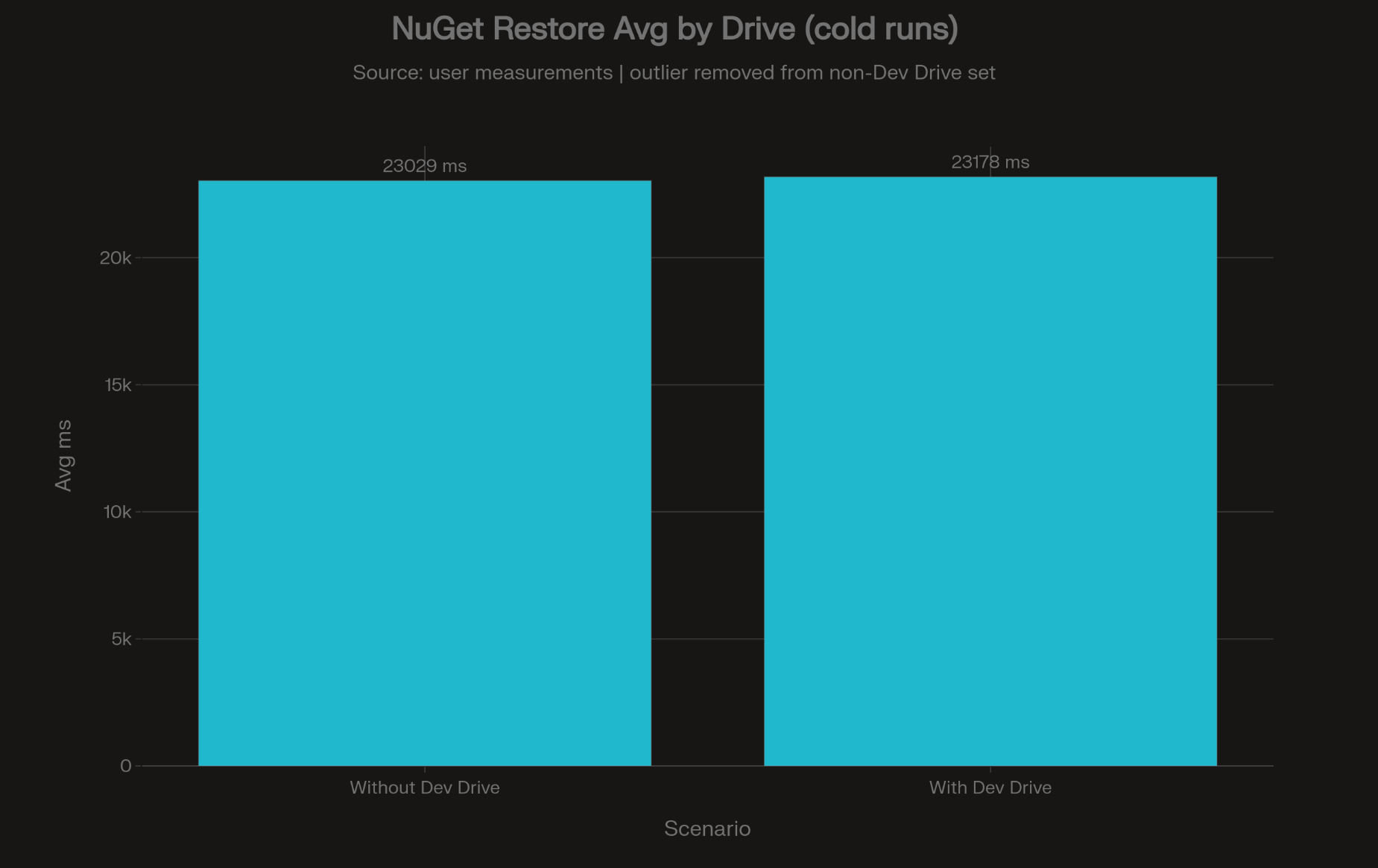
After looking at the data, I removed the one obvious long run from the non-Dev Drive set and recalculated the averages. With that outlier removed, the average without Dev Drive was 23028.89 ms, while the average with Dev Drive was 23177.93 ms.
That means the Dev Drive result was actually about 149.04 ms slower in this filtered comparison, which is roughly a 0.65% difference. In other words, once the large outlier is removed, this test does not show a meaningful average restore speed improvement from moving the NuGet cache to Dev Drive.
What I think this means
This is not the result I expected. The original impression was that Dev Drive improved restore performance, but once the one very slow run was excluded, the average advantage dissappears.
In this small nopCommerce test, Dev Drive may have helped reduce a bad spike, but it did not improve the average cold restore time. I think that distinction matters, because consistency and average speed are not the same thing.
The nopCommerce restored little less than 4000 files, so that is not that much. The performance gain might be bigger with projects that restores LOTS of small files.
For day-to-day development, fewer random slow restores can still be valuable. A machine that behaves predictably often feels faster than one that sometimes has a really bad run, even when the averages are similar. That is not a proof that Dev Drive always improves consistency, but it is one plausible interpretation of this dataset.
Why I would still consider this tweak
Even though my measurements did not show an average speed win after filtering the outlier, I still think moving the global package cache to Dev Drive is worth considering. Microsoft explicitly recommends placing package caches on Dev Drive, and the setup effort is tiny.
The global NuGet package location is shared across many .NET projects, so one config change can affect your whole machine. That makes it one of those optimizations that is cheap to try, easy to roll back, and potentially useful especially if your machine often works with large solutions, many packages, or build-heavy workflows.
Summary
If you want to test this yourself, move the NuGet global-packages folder to a Dev Drive, run repeated cold restores, and compare both the average and the variance. Microsoft documents multiple supported ways to move the NuGet package cache, including **globalPackagesFolder**and the NUGET_PACKAGES environment variable, and also recommends verifying the active folder with dotnet nuget locals global-packages --list command, but of course you can verify the usage by just simply monitoring the folder files.