Azure Container App Jobs: A Simpler Approach to Background Tasks in Azure

Azure Container Apps Jobs is a feature that doesn’t get enough attention. While everyone defaults to Azure Functions, I’ve found that Container Apps Jobs is often the easier and more pragmatic way to run scheduled tasks or process Azure Service Bus events.
The Problem with Azure Functions
If you have used Azure Functions for scheduled jobs or batch processing, you know that setting is a bit pain the ass. First, there is the scheduling syntax. Azure Functions requires a specific 6-digit “NCRONTAB” format (which includes seconds) to define schedules. It is non-standard and annoying to remember. Container Apps Jobs uses the standard 5-digit cron syntax that most developers are already familiar with. Second, the local development experience can be frustrating. To run a Function locally, you need the specific Functions runtime, storage emulators, or other third-party tools. It adds a layer of “magic” that makes debugging harder than it needs to be. Third, we should not forget the isolated vs in process show. I still think that is one of the most confusing part of Azure Functions. Luckily that is mostly in the history now, but still it can hound us when upgrading old functions.
Why Container Apps Jobs Are Easier
A Container App Job is essentially just a simple executable app. You can write a standard console application, run it directly on your computer, and debug it like any other code. There is no special runtime to install. Just wrap it into container before deploying it.
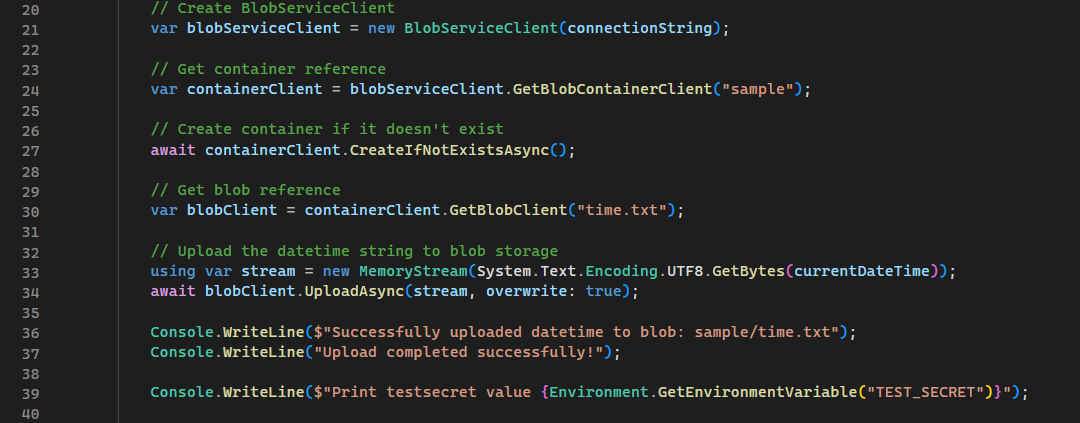
You can use Container App secrets through environment variables, but I prefer storing secrets into Azure Key Vault. However Key Vault will hard wire your app against the Azure.
When you are ready to deploy, the process is standard:
- Package your application into a container image.
- Push it to Azure Container Registry (ACR).
- Configure the Job to fetch the image (you can do it when you create the container app job) and run app based on your schedule or event trigger.
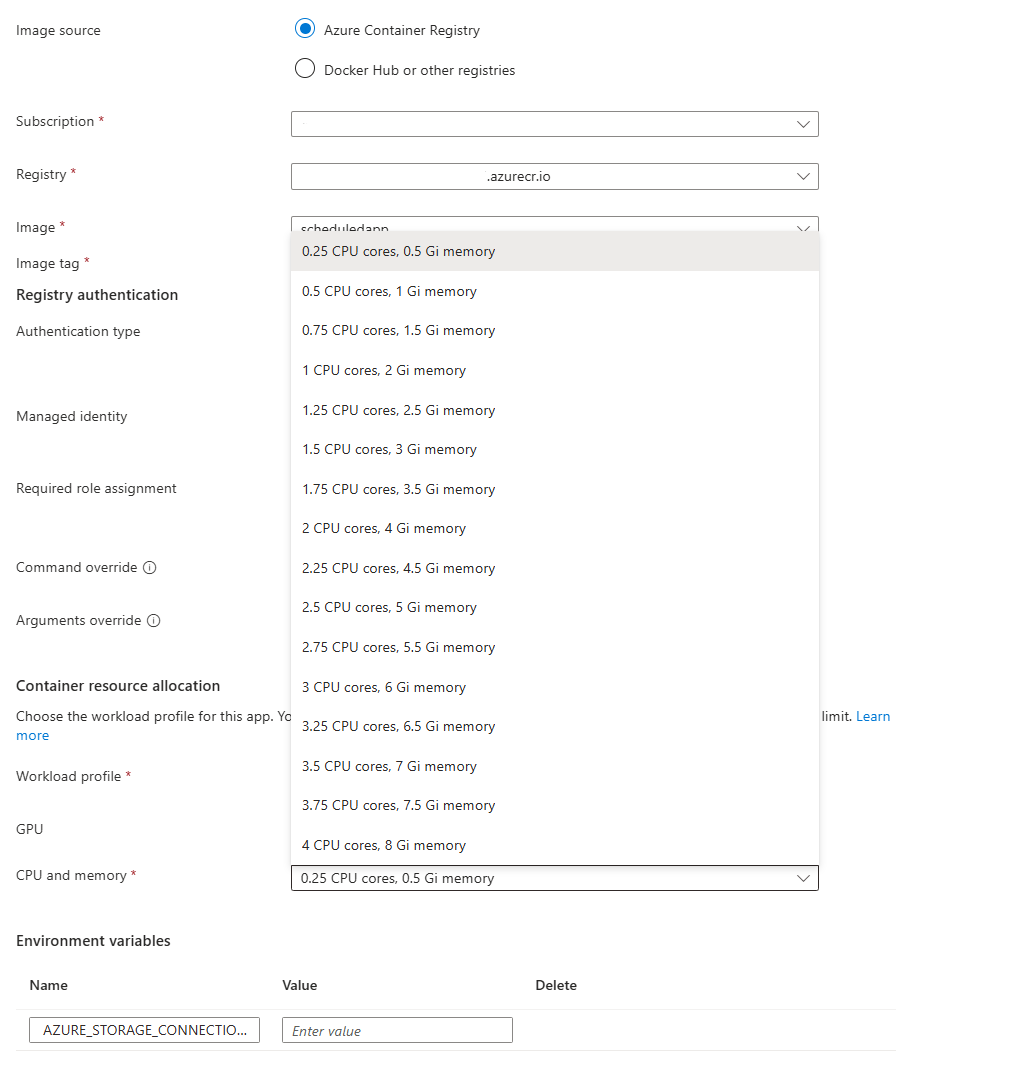
When creating new Container App Jobs you can define the size of the Job. 0.25 CPU and 0.5 Gi memory is smallest.
Container App Jobs comes with two great thing: The runtime environment is not reflected inside application and Container App environment takes care of Ops part of running the app. You just need to Dev.
All Container App Jobs are running inside Container App Environment. Which is similar to what regular Container Apps has. The environment can be attached to VNET and you can configure file mounts etc. directly to environment. The actual jobs are run within the environment and are bound to the rules that are set for the environment. It supports replicas, retries and timeouts. All the essential parts that are required to run scheduled tasks are present.
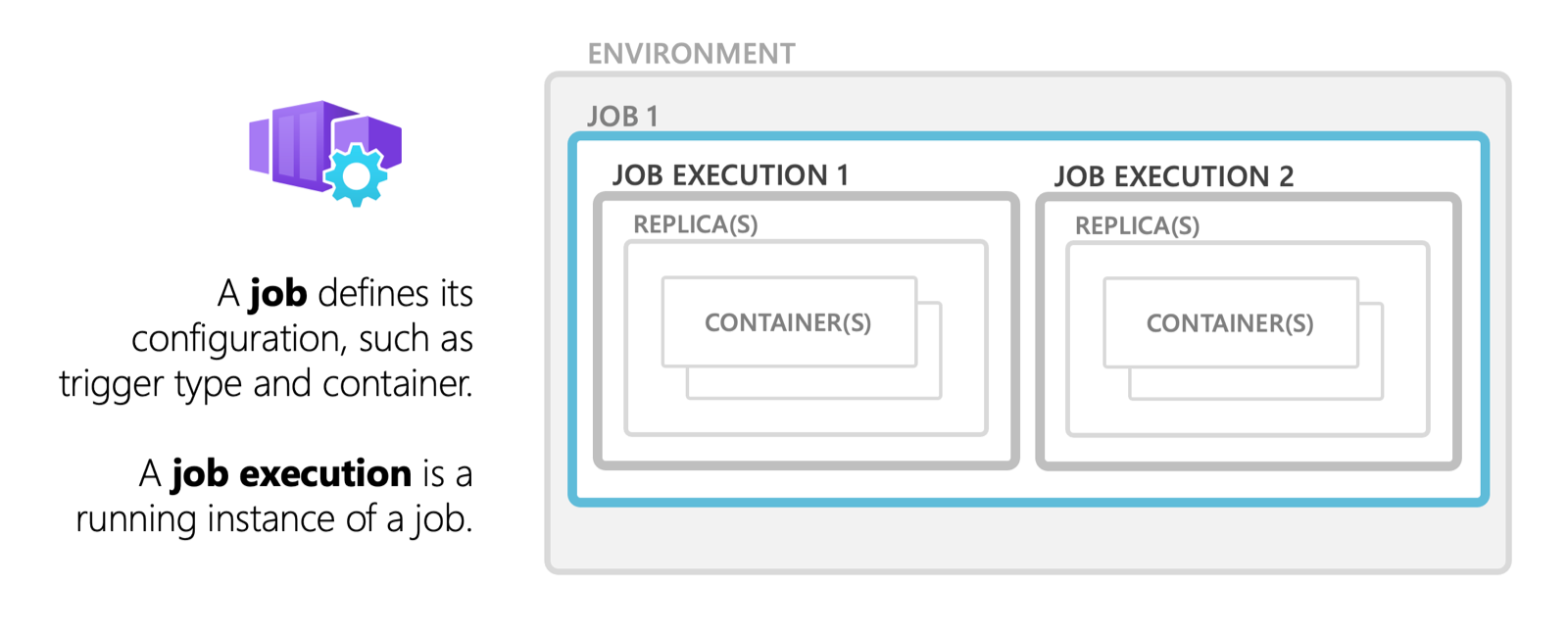
Jobs are executed within Container App Environments
Setting Correct Timezone
By default the Container App Job runs on UTC +0 timezone. The timezone can be changed like it can be changed for “normal” Container Apps applications by using environment variable TZ. You can view the Wikipedia site for list of suitable values. For example in this picture I have set the timezone to EET time (+2).
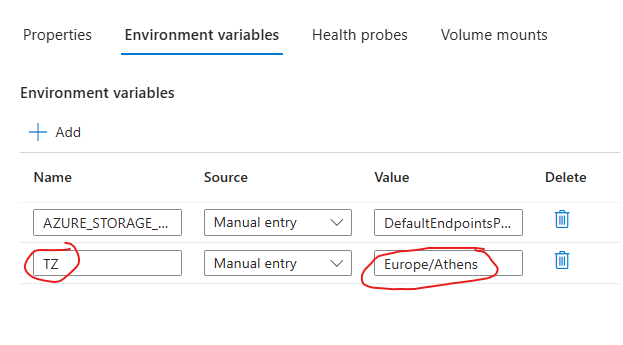
use TZ to set timezone for Container App Jobs
Cheaper Static IP
There is also a significant infrastructure advantage. If your code needs to access services outside of Azure that require a static IP address (IP allow-listing), doing this with Azure Functions can be a bit expensive. You often need Premium plans or complex VNET integration just to get a stable outbound IP. With Container Apps, the environment setup is a lot easier, and getting a static IP is simply just adding gateway into vnet. Even the consumption plan can use outgoing IP for jobs.
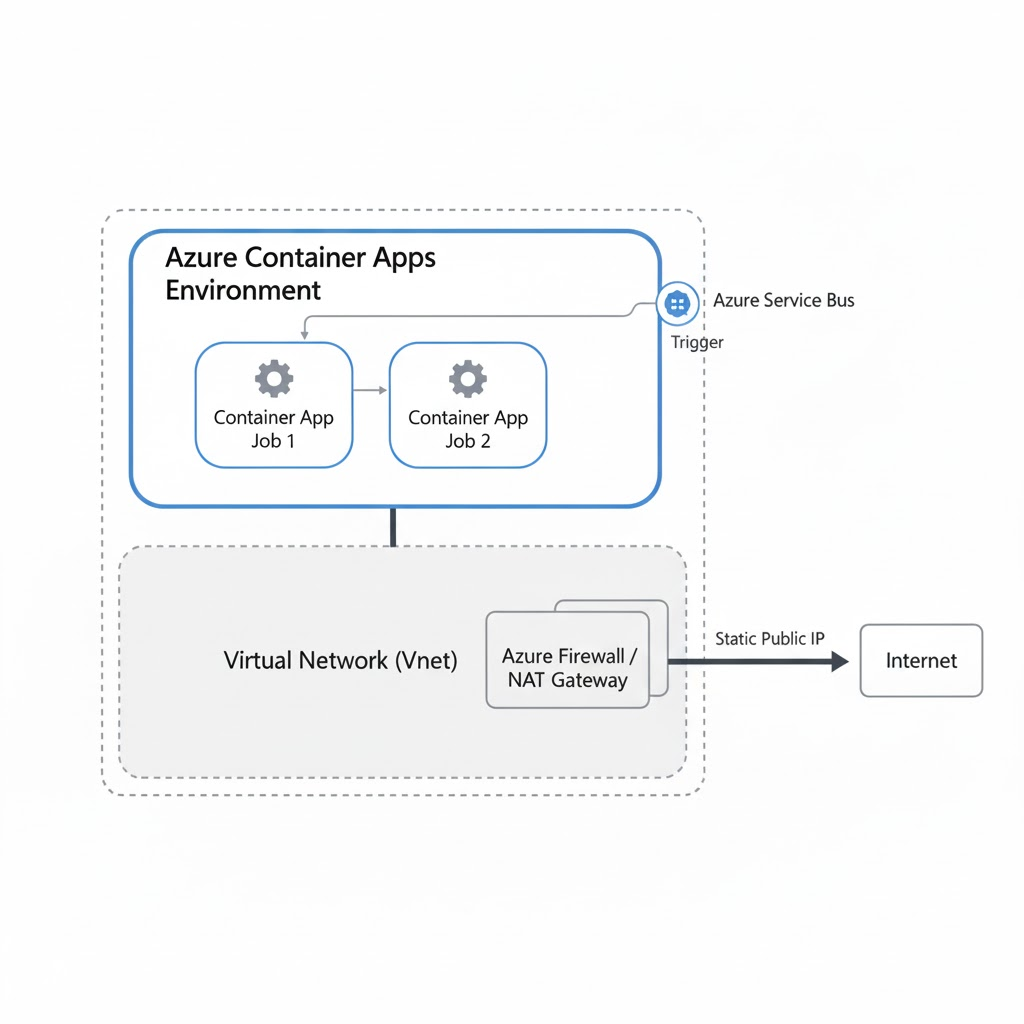
Consumption plan supports static IP through Nat Gateway
Summary
We often overcomplicate background tasks. Container App jobs are a simpler and more understandable way to write applications that need to do something on a scheduled basis. You get standard containers, standard cron syntax, and a clean developer experience without the overhead that Azure Functions are having. You can also use sidecar containers if you need to.
I will write a second blog post about how to use Service Bus for triggering the Container App Jobs. I think that subject is a little too big to be added into this post, so let’s have a completely own post for it.